
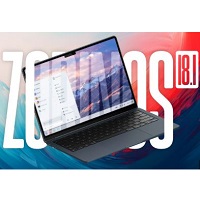
zorin os pro 18.1
Zorin OS Pro 18.1 is a premium Linux operating system designed for users who want a modern, secure, and customizable desktop experience. Based on Ubuntu 24.04 LTS, it offers familiar desktop layouts, productivity tools, creative applications, and improved hardware compatibility.
Rate this app
Zorin OS Pro 18.1 Download – Premium Linux Operating System for PC (2027) is a premium Linux operating system designed for users who want a modern desktop, professional applications, flexible customization, and an easy transition from Windows. Based on Ubuntu 24.04 LTS, it combines a familiar desktop experience with the stability and flexibility of Linux.
The Pro edition is particularly suitable for professionals, students, designers, developers, office workers, and everyday PC users who want a productive desktop without spending hours configuring their system. It includes premium desktop layouts, a curated collection of creative applications, advanced productivity tools, and access to Zorin's installation support service.
In this guide, you will learn about Zorin OS Pro 18.1's features, system requirements, included software, installation process, advantages, disadvantages, and the things to consider before downloading it.
Zorin OS Pro 18.1 Overview
Software Name: Zorin OS Pro
Version: 18.1
Operating System: Linux
Base System: Ubuntu 24.04 LTS
Desktop Environment: GNOME
Architecture: 64-bit Intel and AMD processors
License: Paid edition
Release Date: April 15, 2026, for version 18.1
Storage Requirement: 45 GB minimum
RAM Requirement: 2 GB minimum
Processor Requirement: 1 GHz dual-core 64-bit CPU
These technical details are based on the official Zorin OS documentation.
What Is Zorin OS Pro 18.1?
Zorin OS Pro 18.1 is a premium desktop Linux distribution built to make everyday computing straightforward. Instead of requiring users to learn an unfamiliar interface immediately, it offers desktop layouts inspired by operating systems such as Windows and macOS.
The system can be used for writing documents, browsing the internet, attending online meetings, managing files, editing images, creating videos, and completing other professional tasks. Its application ecosystem supports several Linux software formats, including APT packages, Flatpak, Snap, Debian packages, and AppImage. Optional Windows application support is also available for certain Windows installers. However, not every Windows program or game will work correctly.
One of the biggest differences between Pro and the free Core edition is the collection of additional desktop layouts and professional applications. The Pro version also includes a technical support service for installation assistance. It is a paid product rather than a free edition of Linux.
What's New in Zorin OS Pro 18.1?
Zorin OS 18.1 builds on the Zorin OS 18 release with improvements to application compatibility, desktop customization, hardware support, and general usability.
The release expands the built-in database that recommends Linux alternatives to Windows applications. It also improves advanced window tiling and includes LibreOffice 26.2, along with updated applications and system components. The release uses Linux kernel 6.17 and receives security updates through June 2029.
For people moving from Windows, these improvements make the operating system a practical option for everyday work, although individual hardware and software compatibility should always be checked.
Key Features of Zorin OS Pro 18.1
1. Twelve Customizable Desktop Layouts
Zorin OS Pro includes 12 desktop layouts, allowing users to choose an interface that suits their habits. Options include Windows-like, macOS-like, ChromeOS-like, and other desktop arrangements.
This flexibility is useful if you are switching from Windows and prefer a familiar Start-menu-style workflow. You can also experiment with different layouts without reinstalling the operating system.
2. Professional Creative Applications
The Pro edition comes with a curated collection of applications for creative work, including tools for graphics, photography, video, audio, and animation.
These applications give users a starting point for creative projects immediately after installation. The exact software available may depend on the edition and installation choices, and some professional workflows may still require additional downloads or paid third-party software.
3. Advanced Productivity Tools
Zorin OS Pro includes additional productivity applications for tasks such as note-taking, time management, mind mapping, document annotation, and organizing projects.
For example, Xournal++ can be useful for writing notes, marking up PDFs, or sketching diagrams. Other tools can help users plan work, track tasks, and manage everyday responsibilities.
4. LibreOffice for Office Work
LibreOffice provides tools for writing documents, preparing spreadsheets, and creating presentations. Zorin OS 18.1 includes LibreOffice 26.2, which improves several office-work features and compatibility with Microsoft Office document formats.
Although many Word, Excel, and PowerPoint files can be opened, complex formatting, macros, and certain advanced features may not transfer perfectly between applications.
5. Windows Application Alternatives
Moving to Linux does not always mean finding every application manually. Zorin OS 18.1 can recognize many Windows installer files and recommend native Linux alternatives when suitable options are available.
This feature can help new users discover replacements for common applications. Nevertheless, the recommended alternative may not provide every feature of the original Windows program.
6. Multiple Software Installation Formats
The operating system supports a broad selection of Linux application formats, including:
APT and Debian packages
Flatpak applications
Snap packages
AppImage applications
Web applications
Certain Windows applications through optional compatibility support
This flexibility allows users to choose from official repositories, software stores, and supported external sources. Downloading applications from trusted developers is recommended.
7. Improved Window Tiling
Advanced window tiling helps users arrange several open applications on the screen. It is particularly useful for multitasking, such as keeping a browser open beside a document editor or placing a spreadsheet next to a communication application.
Zorin OS 18.1 introduces additional options for arranging and managing tiled windows, helping users organize their workspace more efficiently.
8. Updated Linux Kernel and Hardware Support
Zorin OS 18.1 uses Linux kernel 6.17 and includes updated drivers and system components. These changes improve compatibility with various devices, including selected graphics cards, laptops, input devices, and gaming controllers.
Hardware support still depends on the exact computer model and device. Some wireless adapters, printers, fingerprint readers, and specialized peripherals may require extra configuration.
9. Web Applications
Web apps allow supported websites to be accessed in a desktop-style window. This can be convenient for webmail, online project management, cloud services, and browser-based business tools.
The feature helps users keep frequently used websites organized alongside their installed applications.
10. Security and Long-Term Updates
Zorin OS Pro 18.1 benefits from the security updates and maintenance of its Ubuntu LTS base. The official technical documentation lists support through June 1, 2029.
Users should still install available updates, use strong passwords, download trusted software, and maintain backups. No operating system can guarantee complete protection against every security threat.
System Requirements for Zorin OS Pro 18.1
Before downloading the ISO image, check that your PC meets the official minimum requirements.
Component | Minimum requirement |
|---|---|
Processor | 1 GHz dual-core Intel or AMD 64-bit CPU |
Memory | 2 GB RAM |
Storage | 45 GB available disk space |
Display | 800 × 600 resolution |
Architecture | 64-bit x86 |
Installation media | USB flash drive with at least 16 GB capacity recommended by the installer guide |
Internet | Recommended for updates and downloading applications |
The CPU, RAM, storage, and display specifications are the published minimums. The official installation guide specifies a 16 GB USB drive for Pro and Pro Lite editions.
Recommended for a more comfortable experience: A modern dual-core or quad-core processor, 8 GB RAM or more, and an SSD will generally provide a smoother experience, particularly when using several applications at once. This is a practical recommendation rather than an official minimum.
The amount of free disk space you need may increase as you install applications and store files. Back up important documents before changing partitions or installing a new operating system.
Software Included with Zorin OS Pro
The Pro edition offers a broader selection of applications than the free Core edition. Its included software is intended to help users start working without first assembling a complete desktop environment themselves.
Previous versions
No previous versions available yet.
Comments
No comments yet. Be the first to comment.
Leave a comment
Your email address will not be published. Required fields are marked *