
Logitech Gaming Software 9.04.49
Logitech Gaming Software is a program developed by Logitech that allows users to control and customize Logitech gaming devices like keyboards, mice, and headsets. It lets you adjust settings such as button assignments, DPI sensitivity, and lighting effects and create custom profiles for different games. This software helps gamers improve performance and personalize their gaming experience easily.
Rate this app
Logitech Gaming Software devices are very fun and work well for controlling and configuring your mouse, keyboard, and headset. This software is a very useful and important part of the complete set of gaming devices. If you are a regular Logitech gaming software gamer, then this game will suit your style.
Feature of Logitech Gaming Software
Logitech Options: Good control for gaming
With the help of this software, you can configure your keyboard and mouse well and powerfully so that you can accurately target your target with good FPS.
Different button settings: It also allows you to assign a specific function to each button, which you can easily configure with a simple click.
Easy-to-use profile:
This is also one of the important features of the software; you can easily create a separate profile for each game. This means that when you open that game, the software will automatically activate the same settings to save you a lot of hassle.
Lighting and RGB:
If your keyboard has lighting, you can easily change it to a different color, similar to RGB gaming
Sound and Gameplay:
If you want to play games, before you do, you will show quick macro recording instructions on the GamePanel display that is a significant issue.
In Analytics Option:
After all, you will need to improve your keyboard; you select Logitech products and services automatically.
What is the Arx Control option:
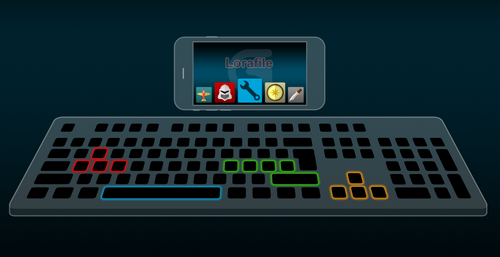
In this section, mobile services are on/off. If you want to open it, you will select Enable, or if you want Automatic Discovery open, that is a perfect decision. If you would like to download a free driver for Windows 7 or 8.1, a good driver is IObit Driver Booster Pro.
Previous versions
No previous versions available yet.
Comments
No comments yet. Be the first to comment.
Leave a comment
Your email address will not be published. Required fields are marked *