
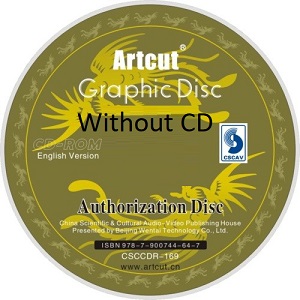
ArtCut software 2009 without CD for Windows
vinyl cutting and sign-making software for Windows without a CD
Rate this app
Current rating: 5 • 5 ratings
Artcut software 2009 is a rar design and vinyl cutting software made for cutting vinyl logo designers who have plotter cutter machines. It allows people to design their own logo ideas and designs, and also cut them directly from cutting plotter machines. Before ArtCut software 2009 was released on the internet, the Wentai company made the software only usable from a CD.
If the owner of that CD lost it, then they couldn't use it, so a smart person found a way to copy and fast that software and uploaded it to the internet to solve cutting plotter users' problem. So that was a good stand and solution for everyone who had this problem.
ArtCut 2009 has its own logos also in the archive, but those designs are only for Chinese, and if someone likes Chinese design, these designs are also usable for them. So in this article, I just explained what the ArtCut software 2009 is. In another article, I will post how to install and use it.
Easily import EPS files into ArtCut 2009 software, and then if you want some changes, you can make changes in the logo after everything is ready, just press " Ctrl+K", then you will see the cutout. Press yes after that, select your vinyl cutting machine, and then cut.
The software focuses on practical tools rather than advanced design features. Users can draw or import artwork, adjust sizes and layouts, and prepare files so the cutter knows exactly where to cut. It also includes functions that make the cutting process easier, such as arranging designs on a page and adding guidelines for trimming.
Wentai stopped updating the ArtCut software; they released the latest one in 2009, but still, too many users use it for basic tasks, as I explained in the above lines. CorelDRAW also has a solution for cutting. CorelDRAW is for modern and colorful cutting machines.
Here I will tell some features of ArtCut software 2009:
Basic Design Tools
Vector Editing
Import & Export Support
Cutting Plotter Control
Layout & Positioning
Weeding & Cutting Aids
Simple User Interface
Device Compatibility
Pros
Easy-to-use interface – Intuitive to use for basic cutting and sign making.
Suitable for common cutting procedures – Ideal for vinyl cutting, lettering, signage, and any other plotter related project.
Lightweight – Runs on older machines that have rather limited hardware resources.
Suitable for basic designing – Good to use when creating basic text, logos, shapes and doing some vector cutting jobs.
Plotter compatibility – Compatible with different kinds of cutting plotters thanks to compatible drivers.
Fast – Basic cutting procedures can be done quickly.
Good for older machines – Being an old-fashioned application can be helpful when working on old plotters.
Cons
Very old software – Many features available in modern graphic designing and cutting software are absent from Artcut 2009.
Incompatible with modern Windows versions – Can experience problems during installation and while using special drivers.
Outdated interface – User interface looks outdated in comparison with modern graphic design software.
Not versatile enough in terms of file format support – Not very convenient to work with newer vector and graphics formats.
Driver-related problems – May need additional configuration with modern USB to serial adapter and plotters.
Not very versatile in terms of design tools – Does not serve as a replacement for advanced applications like CorelDRAW and Adobe Illustrator.
Difficult to troubleshoot – Old software, which may have problems with finding compatible drivers and information about the program.
How to download and install artcut 2009 on USB drive
Frequently asked questions
- What is ArtCut 2009 used for?
- ArtCut 2009 is used to: Create and edit vector graphics. Import artwork from other design programs. Trace bitmap images into cuttable vectors. Send cutting data to vinyl cutters and plotters. Produce signs, decals, stickers, and heat-transfer graphics.
- Which file formats can ArtCut 2009 import?
- ArtCut 2009 supports several common formats, including: EPS AI (Adobe Illustrator) DXF (AutoCAD) PLT (HP-GL) JPG and other image files for tracing/vectorization.
- Can I design in CorelDRAW or Illustrator and cut with ArtCut?
- Yes. Many users create designs in CorelDRAW, Adobe Illustrator, or Inkscape, export them as EPS or AI files, and then import them into ArtCut for cutting.
- My plotter works in test mode but not from ArtCut. What should I do?
- Common causes include: Plotter not installed inside ArtCut. Incorrect COM port selection. Missing or incorrect plotter driver. Wrong communication settings (baud rate, serial/USB settings). Users frequently solve the issue by configuring the cutter correctly in the "Install Cutting Plotter" section.
- Why do I get the error "An unnamed file was not found"?
- This error is usually related to: Missing project files. Incorrect file paths. Temporary files being deleted. Software configuration issues. Re-saving the project, reinstalling the software, or checking file locations may help.
- What operating systems does ArtCut 2009 support?
- ArtCut 2009 was designed for: Windows 2000 Windows XP Windows Vista Windows 7 Some users have run it on Windows 10, but compatibility can vary depending on drivers and hardware.
Previous versions
No previous versions available yet.
Comments
No comments yet. Be the first to comment.
Leave a comment
Your email address will not be published. Required fields are marked *